Quick Answer: ParakeetAI is a real-time AI assistant that listens to a live call, transcribes the questions, and shows suggested answers on your screen. It also bundles prep tools like mock interviews and a resume maker. It can make sense for candidates who want focused practice, or for calls where AI help is clearly allowed. Prices run from a $38 single credit to $149.90 a month, so how much you will actually use it decides the value. Before paying, read how it handles your audio and documents, and check whether your interviewer permits AI assistance at all.
This Parakeet AI review is research-based. I did not run hands-on tests of answer quality, so you will not find invented scores or speed tests here. Instead, I read the current pricing, the privacy policy (updated October 15, 2026), the terms, three competitors’ official pages, and the reviews already ranking for this product.
One thing stood out early. Most of the top-ranking ParakeetAI reviews are published by competing interview-copilot companies, and at least one still quotes a refund guarantee the current terms do not offer. So this review focuses on what those pages skip: the real cost per hour, where your data goes, and whether the product solves the right problem.
What Is ParakeetAI, and What Problem Does It Solve?
ParakeetAI is built by ParakeetAI d.o.o., a company registered in Ljubljana, Slovenia. Its core product is the Call Assistant, which works alongside Zoom, Microsoft Teams, Google Meet, Webex, Amazon Chime, Lark, CoderPad, and HackerRank. Around it sit four “Prepare” tools: a Question Bank, Mock Interviews, a Resume Maker, and AI Headshots.
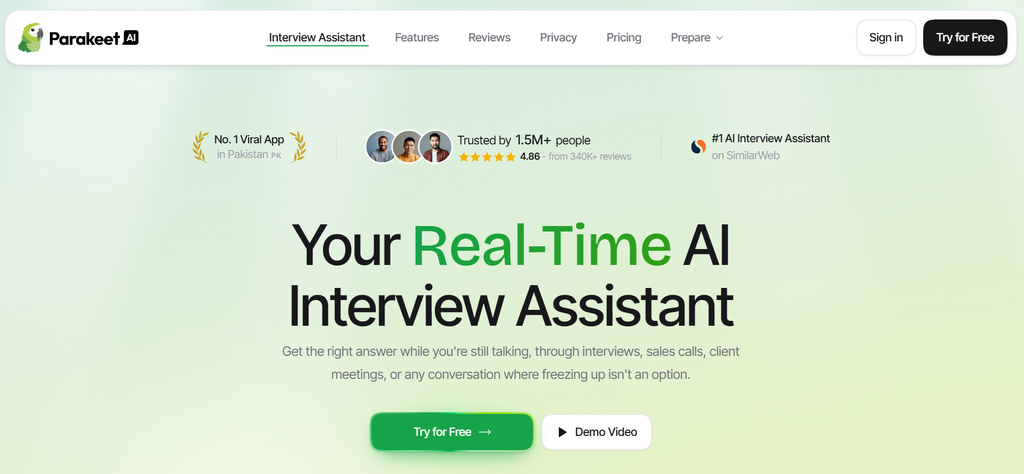
The company also pitches it beyond interviews, for sales calls and client meetings. That makes it different from a general AI assistant you type into. If you are comparing it with broader tools for everyday work, our rundown of the AI productivity tools we use daily covers that wider category.
The problem ParakeetAI targets is freezing up mid-conversation. That is real, but it helps to separate two things:
- Live assistance treats the symptom in the moment. You get words on a screen when your mind goes blank.
- Preparation treats the cause. You rehearse your stories and know your material, and that skill stays with you on the next call.
Hypothetical scenario: Sara, a data analyst, struggles with behavioral questions. In a live call, ParakeetAI hands her a neat STAR-format answer. If she reads it, she may sound scripted, and the follow-up question still lands on her alone. If she uses the mock interview a week earlier to rehearse three solid stories, the help happens before the call. Same product, two very different outcomes.
There is one more tension worth naming. The homepage heavily markets being invisible on screen share, in the Dock, in Activity Monitor, and to tab-switch detection. Yet its own terms ban using the service to cheat wherever AI help is prohibited. Keep that gap in mind as you read.
How Does ParakeetAI Work?
The workflow has four stages. Here is what each one involves, based on the official site and privacy policy.
1. Provide context
You create a session and choose a mode: interview or regular call for meetings. Interview mode uses your uploaded resume. Both modes accept documents such as PDFs and DOCX files, plus an Instructions field where you can paste a full job description.
You also pick the AI model per session. The FAQ lists several Gemini, GPT, and Claude options, and over 50 languages, one at a time per session.
2. Capture and interpret the conversation
The desktop app runs on Windows and macOS. In a browser, live sessions need desktop Chrome and a shared call tab, which is also the route for Linux users. A mobile-browser version exists, and phone calls work through Google Voice. A native mobile app is described as coming soon.
The call audio is streamed to Speechmatics, a speech-to-text provider, which returns the transcript. An optional voice profile helps the system tell your voice apart from the interviewer’s.
3. Generate suggested answers
The transcript, your resume, job description, notes, and any screenshots are sent to the model you selected. Auto Answer detects questions and suggests replies. You can also trigger answers manually, type messages, or send a screenshot of an on-screen coding problem.
The risk is simple. The model only knows what was transcribed and what you uploaded. A misheard question can produce a confident, wrong answer. The homepage promises “100% Accurate Responses,” but no AI model can guarantee that, and the terms themselves disclaim any warranty of accuracy.
4. Review the conversation
After a call, AI Notes summarize key points, questions asked, and next steps. If you chose to save the transcript, you can reread it and ask follow-up questions about the call.
ParakeetAI Features: What Is Actually Useful?
Not every feature earns its place for every buyer. Here is what each one solves and who is likely to care.
Real-time interview assistance
This is the headline feature, and the one most people pay for. It can help when you blank on a fact, lose your thread, or need a quick structure for a rambling answer.
The limits are practical. Reading a screen while speaking is its own skill, and it often shows. The help also disappears the moment the call ends. The vendor’s own list of intended uses (sales calls, internal meetings, mock calls, language practice) is where live help fits most comfortably, because notes are normal there.
Document and resume context
Generic answers are the biggest weakness of any AI assistant. Uploading your resume and the job description grounds the suggestions in your real projects and the role’s actual requirements.
Two cautions. First, the output is only as accurate as what you upload. Second, uploading an employer’s internal documents may breach a confidentiality agreement, and ParakeetAI’s terms prohibit processing information you do not have the right to use.
Mock interviews
This is arguably the most defensible feature. An AI interviewer, voiced through OpenAI according to the privacy policy, asks questions aloud and answers back. You get a transcript afterward, and your first mock is free.
It is still not a human. An AI interviewer will not react to your body language or push back the way a tired hiring manager might. Treat it as a way to get repetitions in, not as a replacement for one real mock with a person.
AI notes and summaries
Post-call notes are useful for sales and client calls, where follow-up matters. For interviews, they help you review weak answers before the next round.
Consent matters here. The other person’s voice is also processed by third-party services, and recording laws vary. ParakeetAI’s terms put the job of getting any required consent entirely on you.
Question bank, resume maker, and AI headshots
These extras add breadth, but most buyers need one at most.
- Question Bank: questions grouped by company. According to the privacy policy, they are extracted from other users’ saved, paid interview transcripts. More on what that means for you in the privacy section.
- Resume Maker: builds a resume tailored to a role, with LinkedIn import. Plenty of free resume tools exist, so this is a convenience.
- AI Headshots: generated from one photo using a Google model. Nice to have, not a reason to subscribe.
If you only want these prep tools, the Custom plan sells each one separately, so you do not need the full subscription.
ParakeetAI Pricing: Subscription or Credits?
ParakeetAI sells three ways to pay: an Unlimited subscription, one-off credit packs, and a Custom plan for prep tools only. The figures below come from the official pricing section, checked on October 15, 2026.
| Plan | Verified price | Billing or usage terms | Best suited for |
| Free | $0 | One session up to 10 minutes; first mock interview free; no card required | Testing audio capture and setup |
| 1 credit | $38 | One-off purchase; 0.5 credit covers a 30-minute call or mock | A single short interview |
| 3 credits | 59(19.67 per credit) | One-off pack; up to 3 hours of calls | One or two interviews plus practice |
| 8 credits | 118(14.75 per credit; 6 + 2 free) | One-off pack; up to 8 hours of calls | A few weeks of active searching |
| 15 credits | 177(11.80 per credit; 9 + 6 free) | One-off pack; up to 15 hours of calls | Heavy but irregular use |
| Unlimited weekly | $78 per week | Recurring subscription | One intense week of calls |
| Unlimited monthly | $149.90 per month | Recurring; unlimited calls, mocks, resume PDFs, headshots, and Question Bank | A month packed with calls |
| Unlimited yearly | 599.90peryear(49.99 per month effective) | Charged upfront as one payment | Year-round regular use |
| Custom | 22.90permonthpertool(68.70 for all three) | Resume Maker, Headshots, Question Bank only; no calls or mocks | Prep tools without live help |
Credits also pay for extras: 0.25 credit per resume PDF, 0.5 credit per headshot, and 1 credit per Question Bank position. That means a credit you spend on a headshot is 30 minutes of call time you no longer have.
A few details are worth checking before you buy:
- Partial blocks: I could not confirm whether a 35-minute call costs 0.5 or 1 credit. The dashboard mockup on the homepage shows credit figures that do not match the stated rate, so treat it as illustrative and ask support.
- Credit expiry: none of the pages I reviewed say whether credits expire.
- The yearly plan: $49.99 a month sounds like a third of the monthly price, but you pay $599.90 at once.
The refund policy is strict. You get a full refund within 7 days only if no credit from that purchase has been used, and activating a call session counts as use. There are no partial refunds, and the terms allow one refund per person, ever. In practice, the free 10-minute session is your only real trial.
Which pricing option makes the most sense?
The right plan depends on how many hours you will actually use, not on the advertised monthly rate.
- Preparing for one or two interviews. The 3-credit pack at $59 covers up to three hours: two 45-minute calls plus a practice mock. Buy the single $38 credit only if you have one call and no practice planned. Skip the weekly plan.
- Several interviews over one month. Say six 45-minute interviews plus four 30-minute mocks, roughly 6.5 hours. The 8-credit pack ($118) covers that for less than the monthly plan. At the 15-pack rate of 11.80anhour,themonthlyplanonlybecomescheaperpastabout12.7hoursofuse.Twoweeksoftheweeklyplan($ 156, it already costs more than a full month.
- Regular use all year. The yearly plan pays off only if you would otherwise spend more than $599.90, which is about four months of the monthly plan or roughly 51 hours on 15-credit packs. Few job seekers need a full year. A salesperson using it daily in permitted calls might.
Is ParakeetAI Worth the Price?
Value here equals useful hours multiplied by how much each hour actually helps. The monthly price alone tells you very little.
Hypothetical comparison:
- Amir is a software engineer with three technical rounds in two weeks. He spends about eight hours on mock interviews and screenshot-based coding practice. An 8-credit pack costs him $118, roughly $15 per useful hour. If the practice changes how he performs, that is a defensible spend.
- Lina has one 30-minute HR screen and already feels confident. She sees “$49.99/month” and buys the yearly plan. She has now paid $599.90 for one short call.
Lina’s plan had the lower effective monthly price. It was still the worse purchase.
Also weigh what free options already cover. Rehearsing with a friend, recording yourself, or practicing out loud with a general AI chatbot handles much of the preparation side. What you pay ParakeetAI for is live listening plus document context, and that matters mainly for live calls.
ParakeetAI Privacy: What Happens to Your Data?
ParakeetAI’s privacy policy is unusually specific about which provider receives what, which is a genuine plus. It also shows how many companies touch a single call.
Audio and transcripts
According to the policy, a typical call flows like this:
- Your microphone or call audio is streamed to Speechmatics, which returns a transcript.
- Speechmatics also receives a short list of names and terms from your company, resume, job description, and notes, picked by a model on Amazon Web Services (or Google as a fallback).
- The transcript, resume, job description, notes, and screenshots go to the model you selected, served by OpenAI, Google, Anthropic (directly or through AWS), or Cerebras.
- Session titles and summaries are generated by a model on AWS, or Google as a fallback.
The policy describes audio as streamed and does not say raw call recordings are kept. Saving a transcript appears to be a per-session choice. Your data is kept as long as you have an account, and the terms state the service is hosted in the United States.
The most important setting is easy to miss. If you save the transcript of an ended, English, paid interview session, the interviewer’s questions can be extracted into the shared Question Bank. You can stop this and remove what you already contributed under Privacy in your profile, or by emailing support.
Remember that the interviewer’s voice is processed too. The terms make you responsible for any consent that recording laws require.
Uploaded documents
Uploaded files, such as resumes and documents, are stored with UploadThing. Documents attached to a session are split into passages, embedded and stored in Pinecone, in a partition reserved for your account, so relevant passages can be pulled into a call.
The Resume Maker sends your resume to models from Google, OpenAI, and AWS. If you upload a resume file, it is sent as it is, including any photo printed on it. LinkedIn URLs go to Enrich Layer and job posting URLs go to Firecrawl.
The policy says each provider may use your content only to provide its service, under protective terms. It does not publish those providers’ own retention periods. Note too that on the web and desktop apps, using a feature counts as agreeing to this data flow, while the mobile app asks for explicit consent first. The website also uses third-party advertising and analytics trackers, including Google Analytics remarketing.
This is the same question enterprises wrestle with when prompts leave their walls. Large organizations often route AI traffic through governed gateways that strip personal data first; our guide to AI gateways for regulated enterprises explains how. A consumer tool gives you no such control, so your protection is what you choose to upload.
Voice profiles
The voice profile is optional and is the one category of biometric data ParakeetAI processes. You record a short sample per language, and Speechmatics derives a voice signature that helps separate your speech from other speakers. ParakeetAI asks for explicit consent first, keeps the recording and signature until you delete the profile or your account, and lets you delete it from your profile page.
What should users do?
Based on the documented data flow, these steps reduce your exposure:
- Run the free session with a dummy resume first, so your test exposes nothing real.
- Turn off transcript saving, or opt out of Question Bank contributions under Privacy.
- Remove your phone number and home address from any resume you upload.
- Never upload an employer’s or client’s confidential documents.
- Skip the voice profile unless speaker mix-ups are a real problem for you.
- Delete sessions, or your whole account, when your job search ends. The policy links a data subject access request form for this.
- Tell the other party you are transcribing, wherever law or courtesy calls for it.
A detailed policy is not proof of security. The company itself says no system is 100% secure, and I did not find a published third-party security audit for ParakeetAI during this research.
The Limitations You Should Consider Before Buying
AI answers still need human judgment
A fluent answer can still be wrong, generic, or aimed at a slightly different question. Transcription errors make this worse, and follow-up questions expose answers you did not really understand.
Several competitor-written reviews, including ones from LockedIn AI and Interview Coder, claim ParakeetAI’s answers get thin on multi-step algorithm problems. Treat that as a claim from rivals, not as evidence.
A feature list does not prove response quality
The homepage shows “4.86 from 340K+ reviews” without naming the platform. Independent signals are thin and mixed:
- The Trustpilot profile for parakeet-ai.com showed only a handful of reviews when I checked, while Verve AI (another competitor) reports a profile with around 500 reviews averaging 4.7.
- ParakeetAI’s privacy policy confirms it gives free credits to users who review it on other sites, which can lift ratings.
- Its public feedback board includes refund requests from users who say the tool lagged or failed to capture audio during live interviews. These are individual anecdotes, not proof of a pattern.
To be clear: no hands-on performance testing was conducted for this review.
The full subscription may be unnecessary
The Unlimited plan bundles headshots, resume downloads, and the Question Bank with calls. If you only want live calls or mocks, credits are usually cheaper. If you only want prep tools, the Custom plan or free tools cover it.
Live assistance may not be permitted
Many interviews and online assessments forbid outside help. ParakeetAI’s terms prohibit using the service to cheat where AI is banned or must be disclosed, and the company says it honors blocklist requests from employers. Yet its marketing leans hard on staying invisible to screen sharing and tab-switch detection.
I am not going to explain how to hide the tool. If an employer later discovers undisclosed AI help, a rescinded offer is a realistic outcome. You may also land a role you cannot keep up with. If you are unsure whether AI help is allowed, ask the recruiter directly.
ParakeetAI Alternatives: Which Type of Tool Do You Need?
The three main paid alternatives sell the same core idea: live answers plus a stealth mode. The real differences are the pricing model and how much you can try for free.
Final Round AI
Final Round AI runs as a desktop app on macOS 14.4+ and Windows. Its strengths are structured practice interviews across eight scenarios and an automatic debrief after each session. It also displays SOC 2 badges, though I did not review the underlying reports.
The main limitation is cost structure. The free plan covers goal setup and materials only, there is no free trial of live help, and live sessions need a Pro subscription advertised from $25 a month. There is no pay-per-call option, and the full tier table did not load during my check.
LockedIn AI
LockedIn AI has the most generous free tier of the group: unlimited 5-minute sessions, up to 60 free minutes a day. Paid options include unlimited General and Pro plans, credit plans (400 minutes a month on the monthly credit plan), and a lifetime plan. Its credits never expire, according to its documentation.
The catch is that stealth mode and its remote-assist feature are excluded from the General plan. Its pricing page did not render during my check, and its docs defer to that page, so I have not listed prices.
Interview Sidekick
Interview Sidekick offers a 2-minute free test of live help, a large question bank and mock interviews. Its Ultimate plan was listed at $160 a month, shown as $80 with a 50% promo code, with a quarterly option.
It markets stealth even more openly than ParakeetAI, including a disguised process name and avoiding browser tab-switch detection. The permission warning above applies with extra force.
Traditional interview preparation
The free option still works, and its benefits stay with you:
- Do one mock interview with a friend, mentor, or former colleague.
- Map each requirement in the job description to a specific story from your work.
- Practice explaining a past project out loud and record it.
- For technical roles, do timed practice problems without help first.
| Tool | Pricing model | Lowest verified paid entry | Free access | Live help | Mock interviews |
| ParakeetAI | Credits or subscription | $38 (1 credit) | One 10-minute session; first mock | Yes | Yes |
| Final Round AI | Subscription only | From $25/month (advertised) | Prep tools only; no live trial | Yes | Yes |
| LockedIn AI | Subscription, credits or lifetime | Not verified | 5-minute sessions, 60 minutes a day | Yes | Yes |
| Interview Sidekick | Subscription | 80/monthwithpromocode(160 listed) | 2-minute test | Yes | Yes |
| Traditional prep | Free | $0 | Always free | No | With a person |
Who Should Consider ParakeetAI?
Likely good fits:
- Candidates with a handful of interviews who want pay-per-use mock practice, including coding practice with screenshots.
- Sales and customer-facing professionals in calls where notes and AI help are acceptable, and who value AI notes afterward.
- Non-native speakers who want to rehearse in their target language.
- Buyers who have read the provider list in the privacy policy and are comfortable with it.
Probably better served elsewhere:
- Anyone whose interview or assessment bans outside help.
- Candidates with a single call and a tight budget, who can start with free tiers or traditional prep.
- People who want structured feedback and coaching rather than live answers.
- Anyone who would need to upload confidential employer or client material.
No tool here is essential for getting a job. Plenty of people get hired with good preparation and nothing on screen.
Final Verdict: Should You Pay for ParakeetAI?
ParakeetAI is worth considering as a practice tool and as a helper in calls where AI is allowed. Its strengths are flexible pay-per-credit pricing, a choice of AI models, mock interviews, a free test session, and an unusually detailed privacy policy.
Its weaknesses matter just as much. There is no independent proof of answer quality, refunds end the moment you use a single credit, and the marketing is built around stealth that clashes with how most interviews work. Saved interview transcripts can also feed the shared Question Bank unless you opt out.
If you buy, a credit pack suits most job seekers. The monthly plan only makes sense past roughly 13 hours of use in a month, and the yearly plan only for daily users. Look elsewhere if you plan to use it covertly where it is banned, have one call, or handle confidential material.
Before paying, verify the current checkout price, how partial 30-minute blocks are billed, whether credits expire, the Question Bank opt-out, and your interviewer’s AI policy. My overall take: ParakeetAI is more valuable for fixing the underlying problem through practice than for hiding it during a live call.
Frequently Asked Questions
Is ParakeetAI free?
Partly. A free account gets one session of up to 10 minutes and a free first mock interview, with no card required. Anything longer needs credits or a subscription.
How much does ParakeetAI cost?
As of October 15, 2026: $38 for one credit, packs of $59, $118, and $177, $78 a week, $149.90 a month, or $599.90 a year. Prep tools alone cost $22.90 a month each. Half a credit covers a 30-minute call.
Is ParakeetAI worth it?
It depends on hours of real use. For a few hours of practice, a credit pack is reasonable. For one short call, free tiers or traditional preparation usually offer better value.
Is ParakeetAI safe to use?
It is a registered Slovenian company with a detailed privacy policy, and payments are handled by Stripe. Your audio and documents do pass through several third parties, including Speechmatics, OpenAI, Google, Anthropic, AWS, Cerebras, and Pinecone. I found no published independent security audit, so upload only what you are comfortable sharing.
Does ParakeetAI help with coding interviews?
The vendor says it listens for coding questions, reads code shared on screen through screenshots, and works with CoderPad, HackerRank, and LeetCode. I did not test its coding quality. Some competitor reviews say depth drops on complex algorithm problems.
Can I use ParakeetAI during a real interview?
Only where the employer allows it. ParakeetAI’s own terms prohibit using it where AI help is banned or must be disclosed, and the company blocks employers’ hiring processes on request. If you are unsure, ask the recruiter before the call.

Usama Bin Qasim is an SEO expert and content writer with 6+ years of experience in SEO and digital marketing. He writes practical SEO guides, SaaS and software reviews, tool comparisons, and digital marketing content based on hands-on research and real-world experience.