
Quick Answer
The best dark web monitoring tools in 2026 are Have I Been Pwned for free breach checks, Aura for individuals and families, Dark Web ID for MSPs and small businesses, Flare for mid-sized security teams, SpyCloud for infostealer and stolen session data, and Recorded Future for broad threat intelligence. Free tools tell you whether your email has already leaked. Paid platforms add continuous monitoring, employee credential coverage, and remediation. The right pick depends on whether you are protecting one person or an entire workforce.
Dark Web Monitoring Tools Compared
| Tool | Best For | What It Monitors | Key Strength | Free Option | Pricing |
|---|---|---|---|---|---|
| Have I Been Pwned | Free checks and cheap domain monitoring | Breach data, stealer logs (Pro) | Trusted, transparent, huge dataset | Yes | Free; Core from $4.39/mo annually; Pro from $379/mo |
| Mozilla Monitor | Free ongoing alerts | Breach data (HIBP powered) | Free alerts for up to 20 addresses | Yes | Free |
| Aura | Individuals and families (US) | Dark web, credit, public records | All-in-one identity protection | 14-day trial | From $12/mo billed annually |
| Bitdefender Digital Identity Protection | Low-cost personal monitoring | Dark web, surface web, data brokers | Digital footprint mapping | No | Annual subscription, promo pricing varies |
| Keeper BreachWatch | Password manager users | Passwords stored in your vault | Zero-knowledge scanning | No | $26.99/yr single, $53.99/yr family |
| Dark Web ID (Kaseya) | MSPs and small businesses | Employee credentials by domain | Deep PSA and ticketing integrations | No | Not publicly listed |
| Flare | Mid-market security teams | Stealer logs, Telegram, forums | Setup in under 30 minutes | Free trial | Not publicly listed |
| SpyCloud | Credential and session exposure | Infostealer logs, cookies, phish kits | Recaptured data before public release | No | Not publicly listed |
| Recorded Future | Enterprise threat intelligence | Dark web forums, malware logs | Context and analyst research | No | Not publicly listed |
| CrowdStrike Falcon Recon | Existing CrowdStrike customers | Criminal forums, exposed data | Auto password resets via Falcon | No | Not publicly listed |
| ZeroFox | Brand and executive protection | Tor, Telegram, forums, social | 1M+ takedowns per year | No | Not publicly listed |
What Dark Web Monitoring Tools Actually Do
Dark web monitoring tools continuously search criminal marketplaces, hacker forums, Telegram channels, paste sites, and infostealer log dumps for data tied to you or your company. When they find a match, they send an alert so you can reset the password, revoke the session, or lock the account before someone uses it.
That early warning matters. Verizon’s 2026 Data Breach Investigations Report found credential abuse somewhere in the attack chain of 39% of breaches, more than any other technique. The same report found that 73% of ransomware victims had an associated credential leak or infostealer infection during the year, and half of those leaks appeared within 95 days before the attack. That gap is the window monitoring tools are designed to catch.
Two things changed in 2026 that most guides have not updated. Google shut down its free Dark Web Report on February 16, 2026, ending scans in January and deleting stored results. Mozilla also retired Monitor Plus in December 2025, though its free breach alerts remain. If you were relying on either, you need a replacement.
This guide covers eleven tools worth considering, what each one does differently, and how to pick without overpaying.
1. Have I Been Pwned
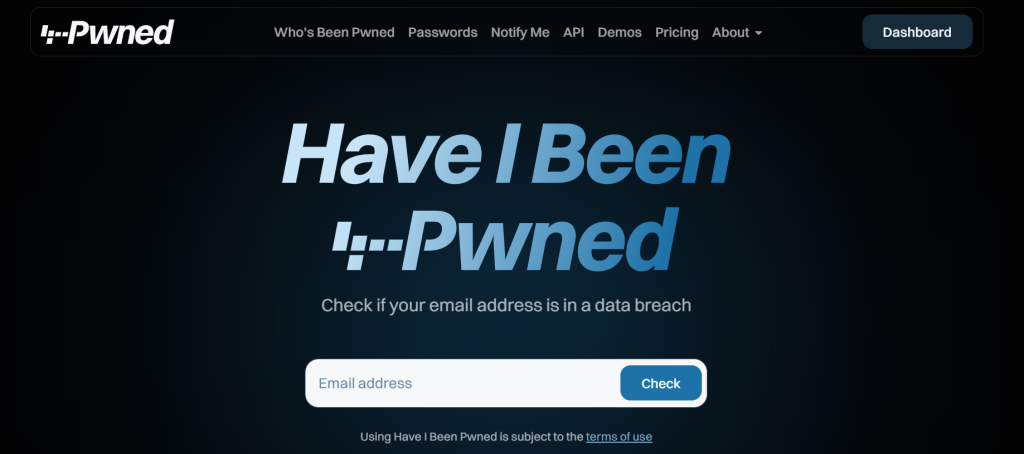
Have I Been Pwned is the reference point for breach checking. Run by security researcher Troy Hunt since 2013, it lets anyone type in an email address and see which known breaches contain it. It is cited by CISA, NIST, the UK NCSC, and law enforcement agencies worldwide.
The 2026 version is more than a lookup box. Its dashboard now covers domain monitoring, and its paid plans added infostealer stealer log access on the Pro tier.
Key Features
- Free email search across 17 billion pwned addresses and more than 1,000 breaches
- Free email alerts when a monitored address appears in a new breach
- Free Pwned Passwords API using k-anonymity
- Domain monitoring, free for domains with 10 or fewer breached addresses
- Stealer log data and MSP customer domain monitoring on Pro plans
Pros
- The most affordable real domain monitoring available anywhere
- Fully transparent about what it holds and where it came from
- No upsells, no credit card required for the core service
Cons
- Breach data only, so it does not cover chatter, brand mentions, or marketplace listings
- No remediation workflow, ticketing, or SOC integration
- Searches by email address only, not by username, phone number, or IP
Best For
Individuals confirming exposure, and small teams that want credible domain monitoring for the price of a coffee.
Pricing
Free for browser search, alerts, Pwned Passwords, and small domains. Core plans start at $4.39 per month billed annually. Pro starts at $379 per month billed annually. High RPM API plans start at $1,150 per month.
Our Take
For a company with one domain and a few dozen staff, a Core plan is genuinely hard to beat on value. Once you need stealer log detail, ticketing, or alerts routed into a SIEM, look at Flare or Dark Web ID instead.
2. Mozilla Monitor
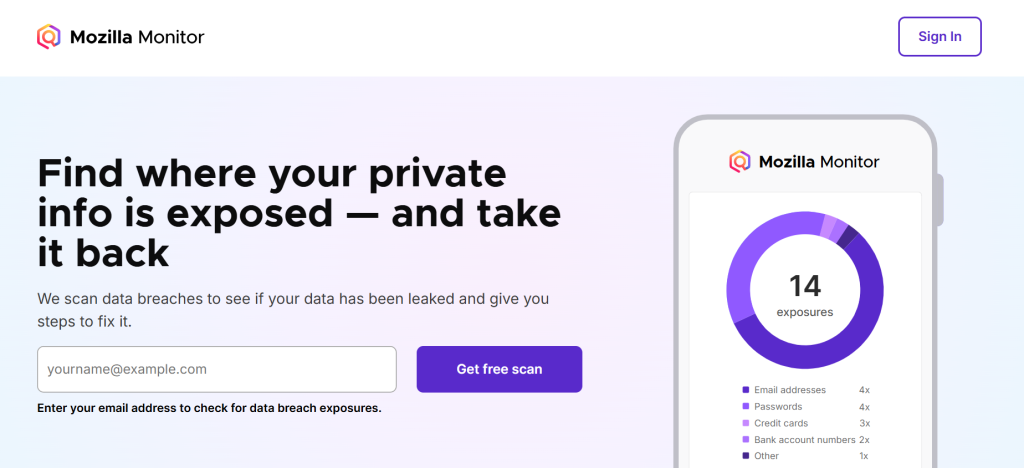
Mozilla Monitor is a free breach alert service built on Have I Been Pwned data. It launched as Firefox Monitor in 2018 and is integrated into Firefox’s password manager. Its value is simplicity: add your email addresses, get told when something leaks.
Key Features
- Free monitoring for up to 20 email addresses per account
- Breach alerts with step-by-step guidance on what to fix
- Firefox credential manager integration
- No cost and no paid tier to upsell you into
Pros
- Free monitoring for multiple addresses, which most services charge for
- Clear remediation advice rather than a raw list of breaches
- Backed by a nonprofit with a strong privacy record
Cons
- Data broker scanning and removal ended when Monitor Plus shut down in December 2025
- Limited to breach data, so no infostealer or marketplace coverage
- No SSN, phone, or financial account monitoring
Best For
Anyone who wants free, ongoing breach alerts for a handful of personal and work email addresses.
Pricing
Free.
Our Take
This is the sensible replacement for Google’s discontinued Dark Web Report. It will not catch everything, but it costs nothing and covers the most common exposure path.
3. Aura
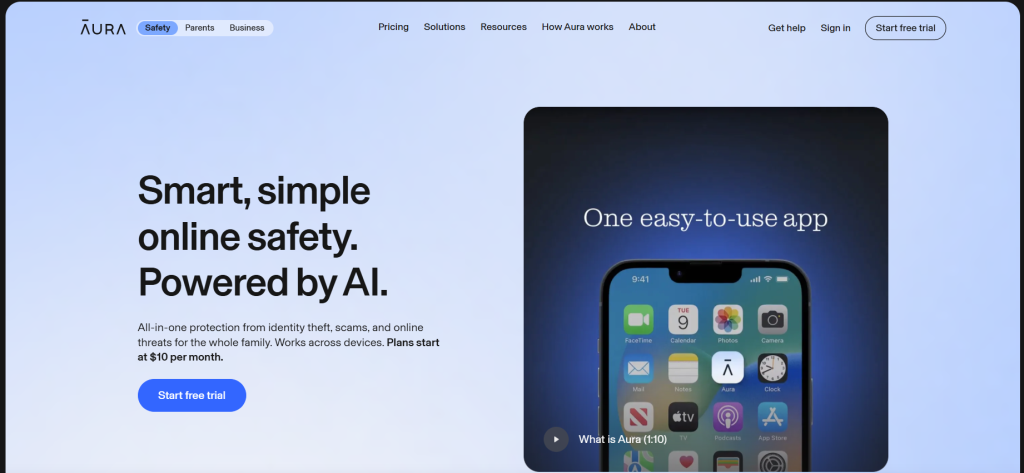
Aura is a consumer identity protection service that bundles dark web monitoring with credit monitoring, data broker removal, a VPN, and identity theft insurance. It is aimed at US households rather than security teams.
Key Features
- Dark web monitoring for email addresses, SSN, passport numbers, and financial details
- Three-bureau credit monitoring with credit lock
- Data broker and people-search site removal requests
- Up to $1 million identity theft insurance per adult
- Family plans covering multiple adults plus children
Pros
- One subscription replaces several separate services
- Restoration specialists help you clean up after actual identity theft
- Same feature set across all plan tiers, so you only pick by household size
Cons
- Core identity features depend on US credit bureaus and SSN data
- Renewal pricing is usually higher than the introductory rate
- Useless for monitoring corporate domains or employee credentials
Best For
US individuals and families who want monitoring plus recovery support in one place.
Pricing
From $12 per month billed annually, per Aura’s published pricing. A 14-day free trial and a 60-day money-back guarantee on annual plans are available. Couple and family plans cost more.
Our Take
Aura makes sense if you value the insurance and restoration help. If you only want to know whether your email leaked, a free tool plus a credit freeze covers most of the same risk at no cost.
4. Bitdefender Digital Identity Protection
Bitdefender Digital Identity Protection is a standalone monitoring service that maps your digital footprint across the public web and dark web marketplaces. Unlike most US identity products, it does not require a Social Security number, so it works for buyers outside the United States.
Key Features
- Continuous monitoring of the surface web and dark web for exposed personal data
- Digital footprint visualization showing forgotten accounts and old services
- Real-time breach notifications with one-click action steps
- Identity protection score based on breach count and data sensitivity
- Impersonation checks for fake accounts using your details
- Webmail integration to surface services tied to your inbox
Pros
- Works internationally, unlike SSN-based US identity services
- Nothing to install, since it runs entirely in a browser dashboard
- Bitdefender says its dark web data is curated and deduplicated to cut false positives
Cons
- Covers one person per subscription
- No credit monitoring or identity theft insurance at this tier
- Prices renew higher than the first-year promotional rate
Best For
People outside the US, or anyone who wants low-cost personal monitoring without a full identity suite.
Pricing
Sold as an annual subscription with promotional first-year pricing that changes regularly. Check the official product page for the current rate. A 30-day money-back guarantee applies.
Our Take
A reasonable middle ground between free breach checkers and full identity suites. If you want credit monitoring and insurance, Bitdefender’s Ultimate Security Plus bundles cover that instead.
5. Keeper BreachWatch

BreachWatch is Keeper’s dark web monitoring add-on. Rather than watching an email address, it checks the actual passwords stored in your Keeper vault against breach data, then flags which specific logins need changing.
Key Features
- Continuous scanning of vault records against a database of over a billion breached records
- Zero-knowledge architecture, so Keeper cannot read your stored passwords
- Alerts tied to individual logins rather than a generic exposure notice
- Admin visibility across employee vaults on business plans
Pros
- Tells you exactly which password to change, which most tools cannot
- Detection happens without exposing your vault contents
- Fits neatly into an existing password rotation workflow
Cons
- Paid add-on rather than an included feature, which competitors bundle for free
- Only covers credentials you actually saved in Keeper
- Requires a Keeper subscription first
Best For
Teams and individuals already using Keeper who want breach detection tied to real logins.
Pricing
Per Keeper’s documentation, BreachWatch costs $26.99 per year for single users and $53.99 per year for Family plans. Business pricing is quoted separately.
Our Take
The vault-linked approach is genuinely more actionable than an email alert. The catch is the add-on cost, since Dashlane and NordPass include similar monitoring in their base plans.
6. Dark Web ID by Kaseya
Dark Web ID is built for managed service providers and the small businesses they support. It monitors client email domains for compromised credentials and pipes alerts straight into the tools MSPs already run.
Key Features
- 24/7 monitoring of hacker forums, IRC channels, private sites, and data dumps
- Domain-level monitoring for client organizations
- Integrations with Autotask, ConnectWise, Kaseya BMS, IT Glue, and RocketCyber
- Automatic ticket creation when a new compromise is found
- Live Data Search snapshots useful for prospect conversations
- Part of the Kaseya 365 User bundle alongside phishing defense and awareness training
Pros
- Ticketing integrations remove the manual step between alert and action
- Priced and packaged for MSP margins rather than enterprise budgets
- Reporting is built for client-facing security reviews
Cons
- Focused on credentials, so no brand monitoring or takedowns
- Pricing is not published, so you have to go through sales
- Most useful inside the Kaseya ecosystem
Best For
MSPs managing many small business clients, and SMBs already working with a Kaseya partner.
Pricing
Not publicly listed. Sold through Kaseya and its partners.
Our Take
If your IT provider already uses Autotask or ConnectWise, this is often the path of least resistance. If you run security in-house, Flare gives you more source coverage for a similar effort.
7. Flare
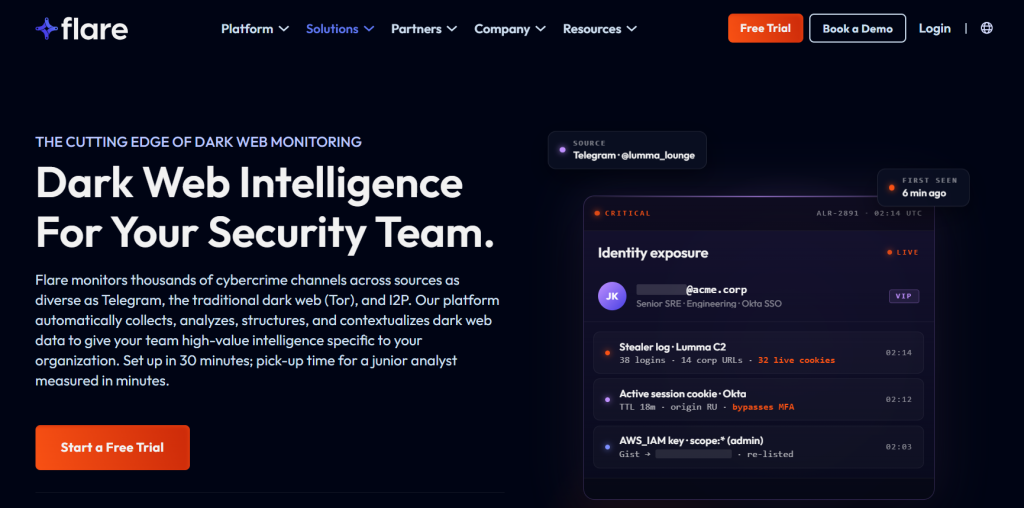
Flare is a threat exposure management platform from Montreal that leans hard into stealer log coverage and Telegram monitoring. It is aimed at mid-sized security teams who want dark web visibility without a six-month rollout.
Key Features
- Monitoring across dark web forums, marketplaces, stealer log markets, and Telegram channels
- Identity Exposure Management with Entra ID integration for automatic validation and remediation
- Leaked credential detection with blast-radius context
- Executive and brand exposure monitoring, plus lookalike domain tracking
- API access for pulling threat data into your own tooling
- Setup in under 30 minutes, per Flare’s documentation
Pros
- Fast time to value compared with enterprise intelligence suites
- Strong coverage of Telegram, where a lot of stealer log trading now happens
- Automated remediation fires through your existing identity stack
Cons
- Pricing is not published
- Less analyst-written research than Recorded Future or Flashpoint
- Smaller vendor than the enterprise incumbents, which matters to some procurement teams
Best For
Mid-market security teams that want credible dark web coverage running this quarter, not next year.
Pricing
Not publicly listed. A free trial is available through Flare’s website.
Our Take
Flare hits a genuine gap between cheap credential checkers and expensive intelligence platforms. If your main question is “are our employee credentials in stealer logs right now,” this answers it quickly.
8. SpyCloud
SpyCloud is not really a dark web scanner. It recaptures stolen data directly from criminal sources, including infostealer malware logs, phishing kit output, and private criminal exchanges, often before that data reaches public marketplaces.
Its differentiator is what it collects beyond passwords. SpyCloud reports recapturing more than 70 billion cookie records, because stolen session cookies let attackers inherit an already-authenticated session and walk straight past MFA.
Key Features
- Recaptured credentials, session cookies, API keys, and device fingerprints
- Coverage of 105+ infostealer malware families
- Automated remediation loops that reset credentials and terminate sessions at scale
- Integrations with Okta, Ping, Entra ID, and Active Directory
- Consumer account takeover and fraud prevention products alongside employee monitoring
Pros
- The clearest answer available for session cookie and infostealer exposure
- Plaintext password cracking makes remediation decisions concrete
- Data often arrives before it circulates publicly
Cons
- Built for security teams, not individuals
- Enterprise pricing and contract cycles
- Overkill if you just want breach notifications
Best For
Organizations where account takeover, MFA bypass, or infostealer infections are the primary concern.
Pricing
Not publicly listed.
Our Take
If your threat model includes session hijacking, this is the category leader. If you mostly need to know whether old passwords leaked, you are paying for capability you will not use.
9. Recorded Future
Recorded Future is a full cyber threat intelligence platform. Dark web monitoring is one module inside a much larger system that also covers vulnerabilities, adversary tracking, brand exposure, and third-party risk. It became part of Mastercard in 2024.
Key Features
- Collection from 250+ dark web forum sources plus marketplaces and closed communities
- Identity Intelligence module covering infostealer malware logs
- Automatic priority tiers separating high-risk credentials from public database dumps
- Insikt Group analyst research on major incidents and threat actors
- Broad integrations with SIEM, SOAR, and ticketing platforms
Pros
- Dark web findings arrive with context about who is behind them and why it matters
- Priority scoring cuts alert volume for stretched SOC teams
- One platform covers intelligence needs well beyond credential exposure
Cons
- Priced for enterprise security budgets
- Needs analyst time to get real value from it
- More platform than most small and mid-sized organizations can absorb
Best For
Enterprises with a dedicated intelligence function that need dark web data connected to wider threat context.
Pricing
Not publicly listed.
Our Take
Buy this when you have analysts to use it. A team of two running a SIEM will get more practical value from Flare or Dark Web ID at a fraction of the cost.
10. CrowdStrike Falcon Adversary Intelligence Recon
Recon is CrowdStrike’s digital risk protection module. It monitors restricted web pages, criminal forums, and encrypted messaging platforms for exposed credentials, leaked documents, typosquatting domains, and brand impersonation.
Its real advantage is what happens after detection. Exposed passwords can be pushed straight to CrowdStrike’s identity protection module, which forces resets, disables accounts, or triggers MFA challenges automatically.
Key Features
- Monitoring of criminal forums, marketplaces, and encrypted messaging platforms
- Custom monitoring rules for domains, brands, executives, and keywords
- Automatic handoff of exposed credentials to Falcon identity protection
- Typosquatting and impersonation detection
- Recon+ managed service where CrowdStrike analysts triage alerts for you
- API access for routing notifications into ticketing systems
Pros
- Detection to remediation happens inside one platform, with no manual relay
- Managed tier removes the alert triage burden entirely
- Fits naturally if Falcon is already your endpoint platform
Cons
- Value drops sharply if you are not already a CrowdStrike customer
- Module licensing adds to an already significant platform cost
- Pricing is not published
Best For
Organizations already running CrowdStrike Falcon who want credential exposure wired into automated response.
Pricing
Not publicly listed. Sold as a module within the Falcon platform.
Our Take
The automation is the selling point, and it only works if you own the rest of the stack. Buying Falcon just to get Recon would be an expensive way to solve a credential monitoring problem.
11. ZeroFox
ZeroFox approaches this from the digital risk protection side. Alongside dark web monitoring, it focuses on brand abuse, executive impersonation, phishing sites, and fraudulent domains, then takes them down.
Key Features
- Monitoring across Tor, I2P, ZeroNet, Telegram, Discord, paste sites, and criminal forums
- Coverage of 180+ platforms including social media and marketplaces
- Dark Ops operatives with persistent access to invite-only forums
- Analyst validation before alerts reach your team
- More than one million takedowns executed annually through partner networks
- Executive and VIP protection, including impersonation and deepfake detection
Pros
- One of the few vendors that removes threats rather than only reporting them
- Human operatives reach closed communities that crawlers cannot
- Analyst validation keeps false positives low
Cons
- Broad platform, so credential monitoring is not the primary focus
- Enterprise pricing with multiple add-on modules
- More capability than most SMBs need
Best For
Consumer brands, financial services, and organizations with high-profile executives who face impersonation and fraud risk.
Pricing
Not publicly listed. Modules are typically quoted separately.
Our Take
Pick ZeroFox when your problem is brand abuse and fake domains as much as leaked passwords. For pure credential exposure, SpyCloud or Flare give you more depth per dollar.
How to Choose a Dark Web Monitoring Tool
1. Data Coverage
The dark web is not one place. Ask vendors specifically which sources they collect from: Tor marketplaces, private forums, Telegram channels, paste sites, ransomware leak blogs, and infostealer log dumps. A tool that only indexes public breach dumps will miss the freshest data.
2. Monitoring Frequency
Breach checkers show you a snapshot. Continuous monitoring watches around the clock and alerts you when something new appears. For a business, the difference between a weekly digest and a real-time alert can decide whether a stolen credential gets used.
3. Types of Data Monitored
Some tools watch email addresses only. Others cover passwords, SSNs, passport numbers, payment cards, API keys, source code, and customer records. Match the data types to what you actually need to protect.
4. Credential and Infostealer Monitoring
This is the single biggest quality gap between tools. Infostealer malware harvests every saved password, cookie, and autofill entry from an infected device at once. Ask directly whether the vendor collects stealer logs, and whether that includes session cookies.
5. Alerting
Four hundred unprioritized alerts create noise, not security. Look for severity scoring that separates a live corporate credential from a ten-year-old forum password, and check which channels alerts can reach.
6. Reporting and Investigation
Can you search historical data, or only see new alerts? Can you export something a board or an auditor will accept? Investigation tooling matters more as your team grows.
7. Remediation Capabilities
The best platforms close the loop. Pushing an exposed credential straight into Entra ID or Okta to force a reset beats emailing a spreadsheet to IT. Ask what happens automatically after detection.
8. Integrations
Check for connections to your SIEM, SOAR, ticketing system, and identity provider. For MSPs, PSA integration with Autotask or ConnectWise usually decides the purchase.
9. Pricing
Consumer tools run $10 to $30 per month. Small business credential monitoring is often a few hundred dollars a month. Enterprise intelligence platforms run into five and six figures annually. Most business vendors do not publish rates, so budget time for sales conversations.
10. Ease of Use
Deployment time varies from minutes to months. If your team is small, favour tools that produce useful output in the first week. A platform nobody logs into is worse than a cheaper tool people actually check.
Free vs. Paid Dark Web Monitoring Tools
Free tools are more useful than vendors admit. Have I Been Pwned and Mozilla Monitor will tell you whether your email address has appeared in known breaches, and they will keep telling you as new breaches land. For a person with unique passwords and MFA turned on, that covers most of the realistic risk.
What free tools generally cannot do:
- Monitor infostealer logs, which is where the freshest credentials appear
- Detect stolen session cookies that bypass MFA entirely
- Watch a whole domain and map exposures to individual employees
- Score severity, so you know which alert to act on first
- Push a reset into your identity provider automatically
- Produce reports that satisfy auditors or cyber insurers
A free tool is enough when you are one person with good password habits, or a very small business with a single domain and no regulated data. Paying starts to make sense once you have employees whose credentials could open corporate systems, handle customer records, work in a targeted sector like finance or healthcare, or need to show a compliance auditor that you monitor for exposure.
Paid is not automatically better. A $30,000 platform nobody has time to use protects you less than a free alert that someone acts on within an hour.
What to Do If Your Information Is Found on the Dark Web
- Change the exposed password immediately, starting with the account named in the alert.
- Change it everywhere you reused it. Password reuse is what turns one leak into five compromised accounts.
- Turn on multi-factor authentication on email, banking, and work accounts. CISA recommends phishing-resistant MFA such as FIDO security keys or passkeys where available.
- Revoke active sessions. If session cookies were stolen, a password change alone does not lock the attacker out. Sign out of all devices in your account security settings.
- Check the account for damage. Look for unfamiliar logins, forwarding rules, connected apps, and changed recovery details.
- Tell your security team if a work account is involved, and follow your incident response procedure rather than fixing it quietly.
- Assume the device may be infected if the exposure came from a stealer log. Run a malware scan before resetting passwords, or you will just leak the new ones.
- Keep monitoring. Data reappears in new dumps and combolists for years after the original breach.
If you are rethinking your personal setup more broadly, it is worth also reviewing the private browsers that limit tracking and reduce how much of your data ends up in broker databases in the first place.
Frequently Asked Questions
What is dark web monitoring?
Dark web monitoring is a service that continuously searches criminal marketplaces, hacker forums, Telegram channels, paste sites, and stolen data dumps for information tied to you or your organization. When it finds a match, it alerts you so you can change the password, revoke access, or lock the account before the data gets used.
How do dark web monitoring tools work?
They collect data from underground sources using automated crawlers, purchased datasets, and in some cases human operatives with access to closed forums. That data is indexed and matched against the identifiers you register, such as an email address, a company domain, or an SSN. A match triggers an alert.
What can dark web monitoring detect?
Common detections include leaked passwords, exposed email addresses, stolen session cookies, credit card and bank details, SSNs and passport numbers, API keys, leaked internal documents, and mentions of your company on ransomware leak sites. Coverage varies a lot between tools.
Can I monitor my email on the dark web for free?
Yes. Have I Been Pwned lets you check any email address for free and send you alerts when it appears in new breaches. Mozilla Monitor gives free ongoing monitoring for up to 20 addresses. Both draw on the same breach dataset.
Are free dark web monitoring tools reliable?
They are reliable for what they cover, which is publicly known breach data. A clean result does not prove your data is safe. It means nothing has been found in the datasets that the tool holds. Free tools rarely cover infostealer logs or private criminal channels.
Is dark web monitoring worth it for a small business?
Usually yes, at a modest tier. If employee credentials could open email, cloud storage, or a customer database, knowing about an exposure early is worth a few hundred dollars a year. Have I Been Pwned Core plans and Dark Web ID through an MSP are common entry points.
What is the best dark web monitoring tool?
There is no single winner. Have I Been Pwned is best for free checks and cheap domain monitoring. Aura suits US individuals and families. Dark Web ID fits MSPs. Flare works well for mid-market teams. SpyCloud leads on infostealer and session data. Recorded Future suits enterprises with analysts.
Can dark web monitoring prevent a data breach?
No. It detects exposure that has already happened, which is different from preventing the original compromise. Its value is shortening the window between a credential leaking and someone using it. Prevention still depends on MFA, patching, and access controls.
Does dark web monitoring remove my data from the dark web?
No. Once data is copied and traded, it cannot be recalled. Some platforms, such as ZeroFox, can take down phishing sites and impersonation accounts, but leaked credentials themselves stay in circulation. The only real remedy is invalidating them.
Final Verdict
Match the tool to what you are protecting, not to a review score.
If you are one person, start free. Check Have I Been Pwned, turn on Mozilla Monitor for your addresses, use unique passwords, and enable MFA. That combination handles most of the risk. Move up to Aura or Bitdefender Digital Identity Protection if you want credit monitoring, data broker removal, or someone to call when identity theft actually happens.
If you run a small business, a Have I Been Pwned Core plan covers a single domain cheaply. If you already work with an MSP, Dark Web ID with PSA ticketing turns alerts into tracked work rather than ignored emails.
If you have a security team, the deciding question is source coverage. Ask whether the vendor collects infostealer logs and session cookies, or only breach dumps. Flare gives fast, credible coverage for mid-market budgets. SpyCloud goes deepest on stolen sessions and credentials. Recorded Future adds analyst context if you have people to use it. CrowdStrike Recon makes sense when Falcon is already your platform. ZeroFox is the pick when brand abuse and takedowns matter as much as leaked passwords.
One habit beats any subscription: act on the alert. A free notification you respond to within an hour protects you more than an expensive dashboard nobody opens. For more tool breakdowns like this one, browse our software and service reviews.
Pricing and features were verified against vendor documentation in August 2026 and are subject to change.

Usama Bin Qasim is an SEO expert and content writer with 6+ years of experience in SEO and digital marketing. He writes practical SEO guides, SaaS and software reviews, tool comparisons, and digital marketing content based on hands-on research and real-world experience.

2 Reply on “Best Dark Web Monitoring Tools in 2026”